The real choice is speed versus brand control
Teams often frame the decision as templates versus custom design, but the practical question is narrower: how much unique visual work does this message need before a recipient will trust it and act? An email template for cold email usually wins when clarity, personalization and fast iteration matter more than a one-off art direction.
Custom design shines when brand recognition, multi-module storytelling or campaign identity is the product itself—product launches, seasonal retail stories, or flagship newsletters. For first-touch outreach, a restrained template with a strong headline, short body and one button is usually the safer default.
Email template anatomy: headline, body and button
Every usable email template for cold email rests on three scannable layers. The headline states the reason for writing. The body proves relevance in a few short paragraphs. The button (or single text link) makes the next step unmistakable.
If any layer competes with another—three CTAs, a decorative header that outshouts the ask, or body copy that hides the point—reply rates suffer. Use the anatomy diagram below as a checklist before you customize colors or imagery.
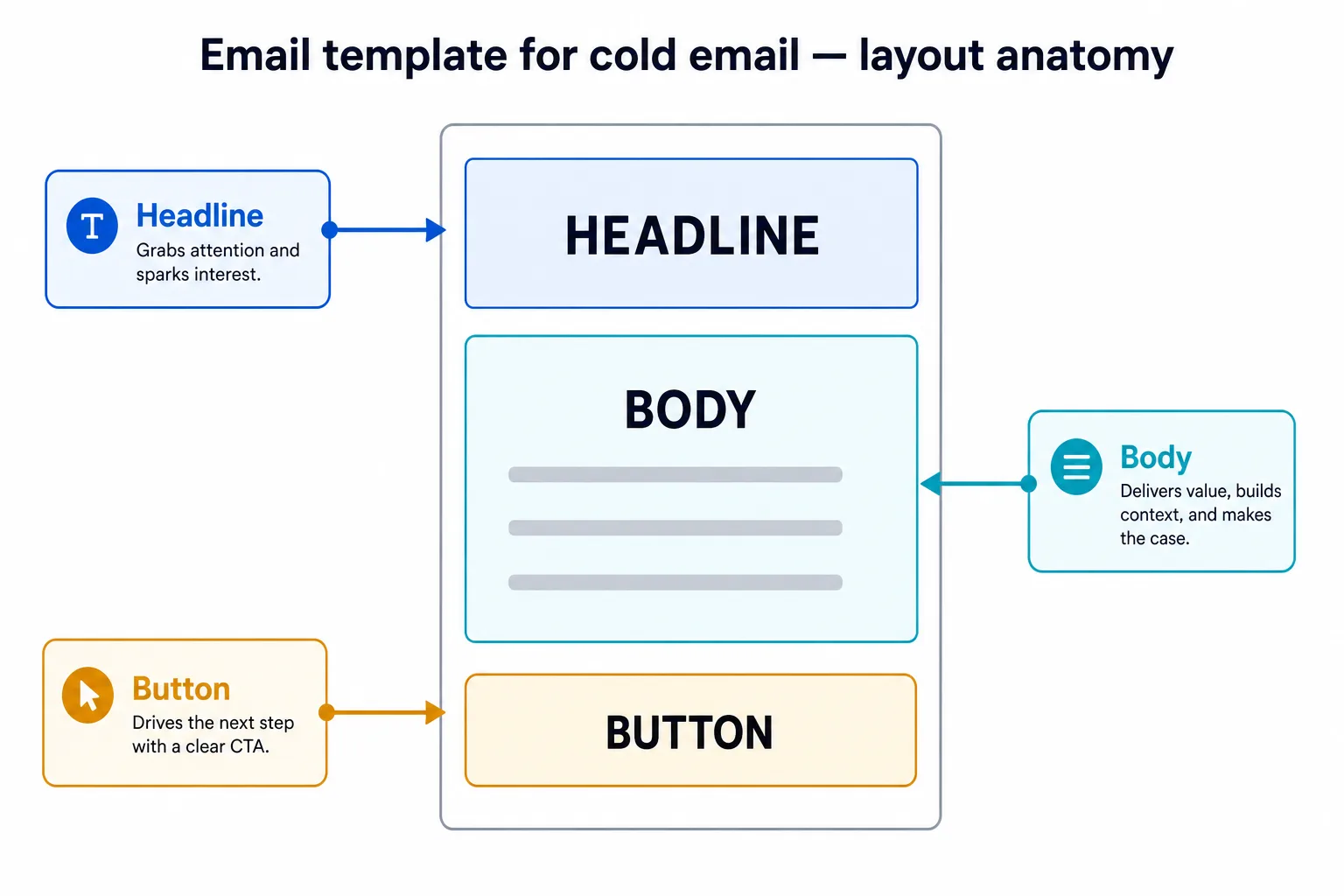
Compare three layouts side by side
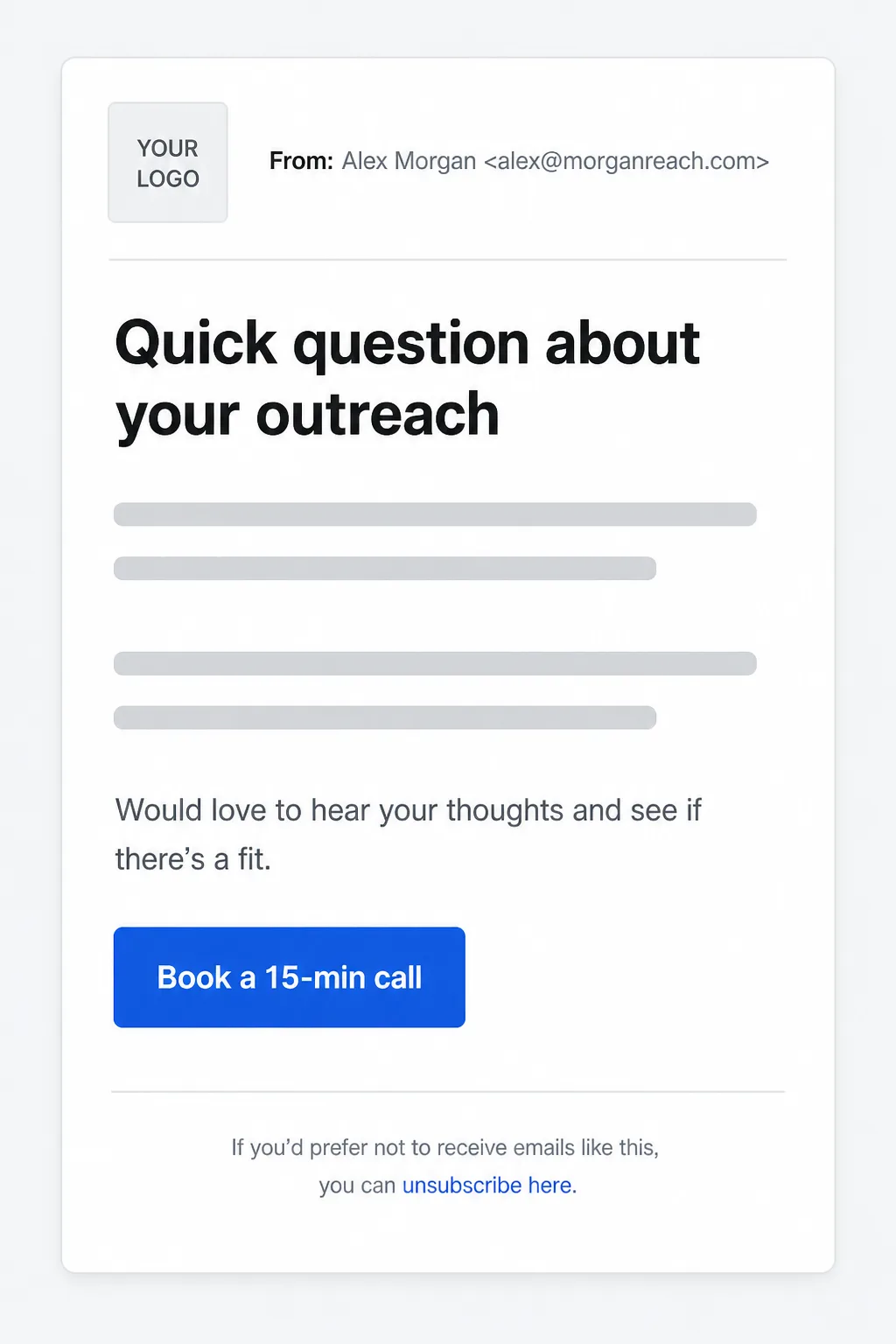
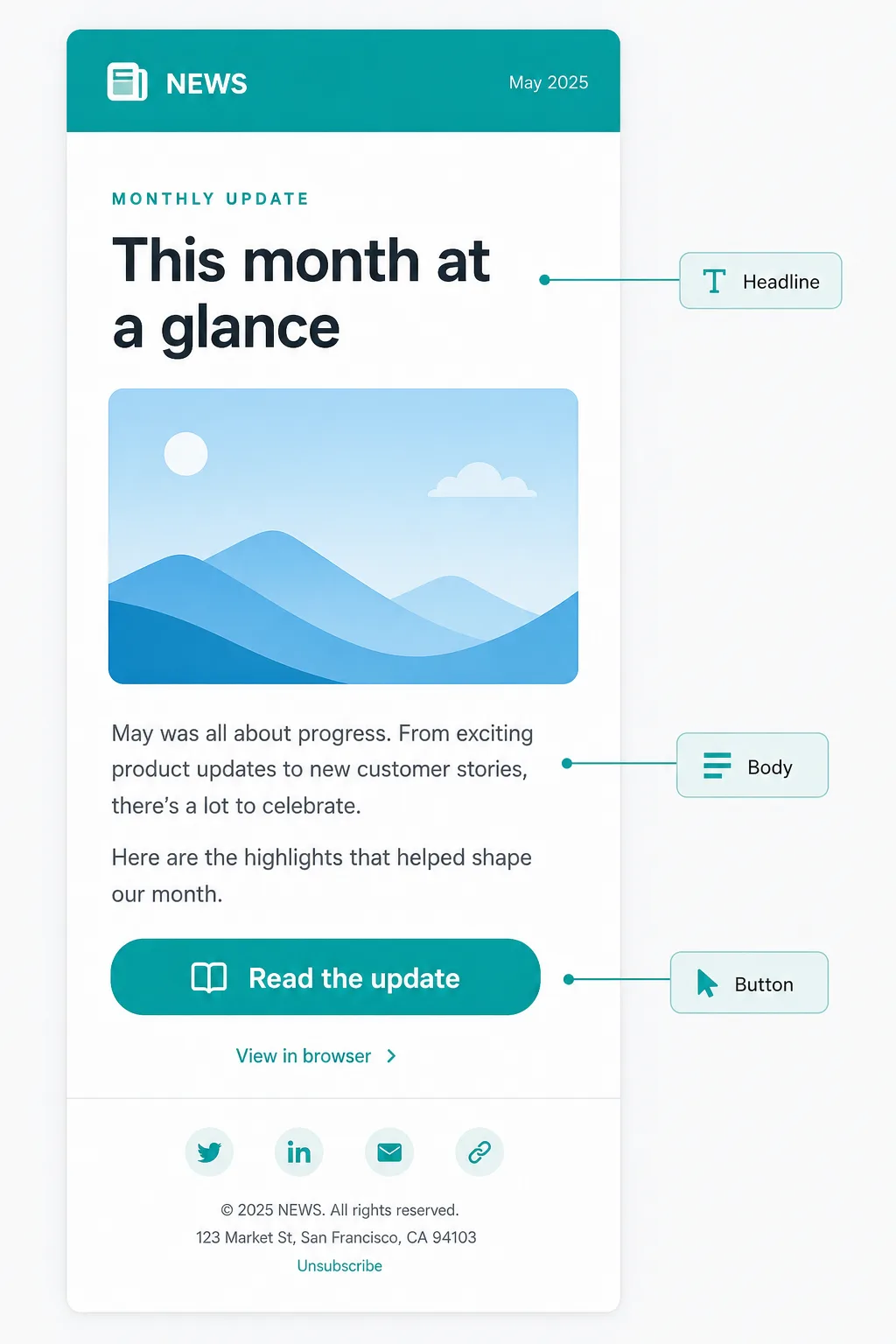
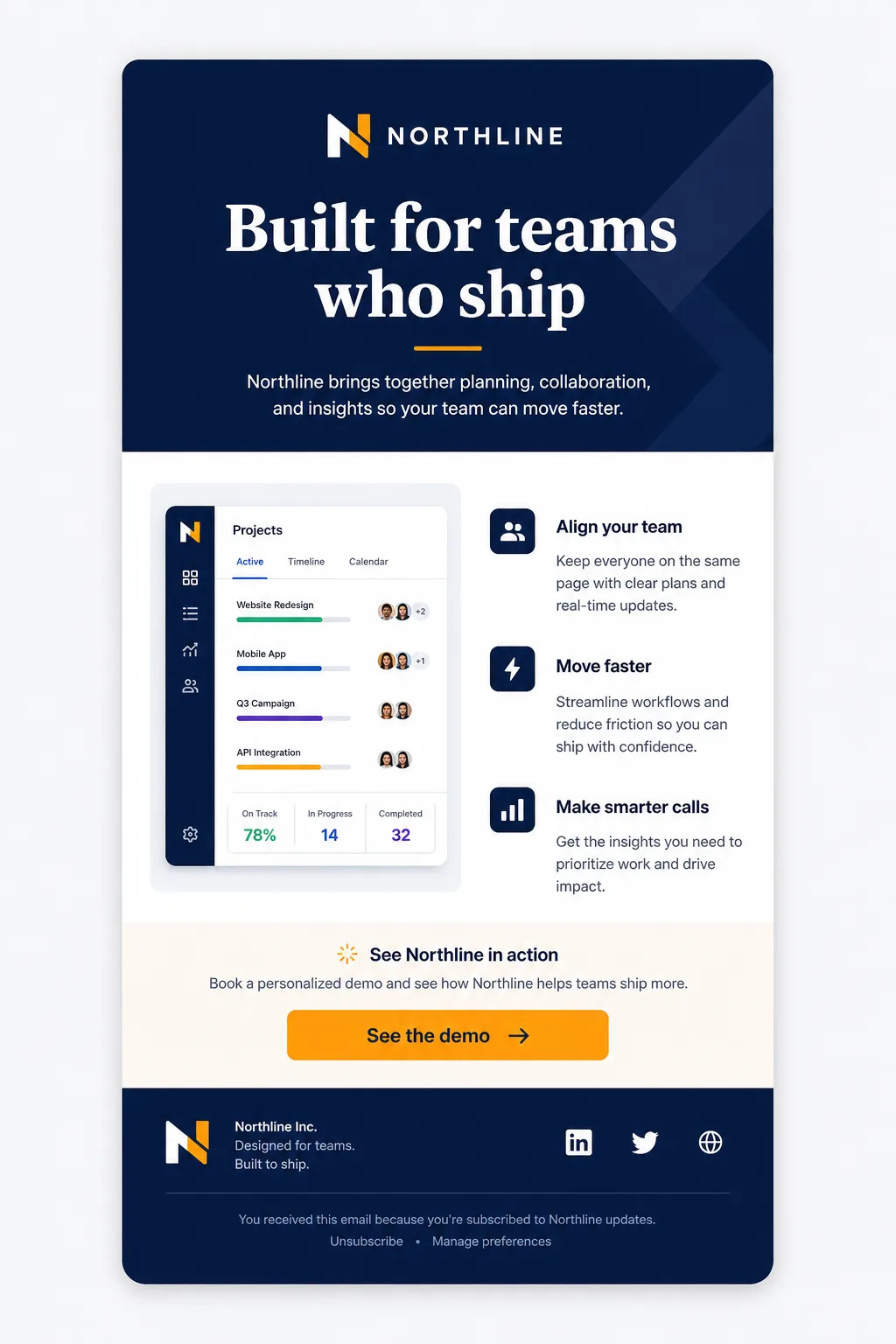
The WebP layouts below illustrate the spectrum. A simple cold-email template stays close to plain conversation. A newsletter template adds header branding and a hero block. A custom branded design increases visual density with navy headers, dual columns and a distinctive CTA.
None of these is universally “best.” Match the layout to the relationship stage: first contact favors simplicity; warm subscribers can handle richer modules; high-intent brand moments may justify custom design time.
When an email template for cold email is the better choice
Choose a template when you need consistent personalization across many recipients, when operators change copy weekly, or when deliverability risk rises with heavy images and complex HTML. Cold outreach performs better when it looks like a thoughtful message—not a miniature landing page.
FreeEmailSender’s editable HTML templates follow this pattern: start from a clean structure, swap in personalized fields, keep one primary action, and test before sending through your authorized SMTP account.
- First-touch sales, recruiting, partnership or research outreach
- High personalization volume with limited design capacity
- Need to A/B test subject lines and opening lines quickly
- Clients or inboxes that strip or block heavy creative
When custom design is worth the investment
Invest in custom design when the visual system itself carries trust—flagship product launches, investor updates with charts, ecommerce lookbooks, or a branded welcome series that will be reused for months.
Custom work should still respect email constraints: single-column fallbacks, live text for key copy, sufficient contrast, and a primary button that remains obvious on mobile. Custom is not an excuse for unreadable image-only emails.
| Factor | Email template | Custom design |
|---|---|---|
| Time to first send | Hours | Days to weeks |
| Best for cold email | Usually yes | Rarely as first touch |
| Brand uniqueness | Moderate with accents | High |
| Maintenance cost | Low | Higher per redesign |
| Personalization at scale | Strong | Possible but heavier |
| Risk if images fail | Lower if text-first | Higher if image-heavy |
Hybrid approach most teams should use
The durable strategy is a template system with controlled custom modules. Keep a cold-email master with headline, body and button slots. Keep a newsletter master with optional hero image. Commission custom variants only when a campaign will run long enough to repay the design cost.
Document which fields are editable, which colors are brand-approved, and which elements must remain live text. That governance prevents every campaign from becoming a bespoke rebuild.
Checklist before you choose
If you can state the ask in one sentence, start with an email template for cold email. If the goal is immersive brand storytelling for an existing audience, scope a custom design with the same headline–body–button discipline.
- One primary goal and one primary button
- Headline that names the relevance in under ~10 words
- Body under one screen on mobile
- Alt text and text fallbacks for images
- Tested in major clients before bulk send
- Template reused unless custom ROI is clear
Frequently asked questions
What is the best email template for cold email?
A text-forward layout with a clear headline, short personalized body, and one button or link. Heavy graphics rarely improve first-touch replies and can hurt rendering or trust.
Should cold outreach use custom design?
Usually no for first contact. Custom design is better for branded nurtures, launches and newsletters where recipients already know you.
Can FreeEmailSender support both templates and custom HTML?
Yes. Start from reusable HTML templates or supply your own HTML, personalize fields from your list, then send through an authorized SMTP connection and review campaign analytics.
What must every email layout include?
At minimum: a scannable headline, concise body copy that explains relevance, and one obvious next step (button or link), plus required sender and unsubscribe details for marketing mail.
Sources and further reading
Related Free Email Sender guides and official product, pricing, policy, or methodology pages reviewed for this article. Features and prices can change, so confirm current terms before making a decision.